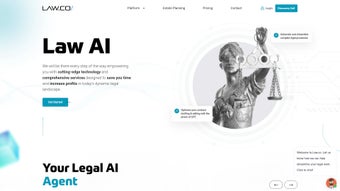

Download Law AI – AI‑Powered Legal Research & Contract Automation
Overview: How Law AI Is Redefining Legal Workflows
Law AI is a cloud‑native, subscription‑based platform that brings the power of large‑language‑model AI to everyday legal tasks. Designed for attorneys, paralegals, and in‑house counsel, the service combines semantic case search, automated contract analysis, and real‑time compliance checking into a single browser‑based interface. By training its model on millions of U.S. and international cases, statutes, regulations, and contract templates, Law AI can answer natural‑language queries, generate draft clauses, and highlight risky language with citations that mirror the work of a senior associate.
The platform’s architecture emphasizes security: all data is encrypted with TLS 1.3 in transit and AES‑256 at rest, and role‑based access controls meet ISO‑27001 and GDPR standards. Because the software runs entirely in a web browser, there is no heavy client installation, and updates are delivered automatically each month, ensuring the AI stays current with new case law and regulatory changes. In practice, firms report up to a 70 % reduction in time spent on research and contract review, translating into faster turnaround for clients and a measurable boost in billable efficiency.
Whether you are drafting a complex M&A agreement, preparing a deposition brief, or simply verifying that a privacy clause complies with GDPR, Law AI acts as a trusted digital associate that can be accessed from any modern device, anywhere you have an internet connection.
Key Features and Tangible Benefits for Legal Professionals
- Semantic Case Search: Enter a legal issue in plain English and receive ranked results from a curated database of historic cases, statutes, and regulations, complete with AI‑generated summaries and citation links.
- Automated Contract Review: Upload contracts for instant AI‑driven analysis; the engine highlights risky clauses, suggests alternative language, and adds inline citations to relevant precedents.
- AI‑Assisted Drafting: Generate entire agreements or specific clauses using practice‑area prompts (IP, employment, real estate, M&A) that adapt to jurisdiction‑specific terminology.
- Deposition Prep Engine: Pull witness statements, prior depositions, and case law to assemble a comprehensive briefing package in minutes.
- Compliance Checker: Cross‑reference contracts against industry‑specific regulations such as GDPR, HIPAA, and FINRA, flagging non‑compliant language instantly.
- Real‑Time Redlining & Collaboration: Teams can edit documents simultaneously, with the AI tracking legal implications and providing version control.
- Secure Cloud Architecture: End‑to‑end encryption, ISO‑27001 compliance, and granular access controls protect client confidentiality.
- Continuous Learning Updates: Monthly model refinements incorporate new case law, statutes, and user feedback without requiring manual patches.
- Multi‑Language Support: Conduct research in English, Spanish, French, and Mandarin, facilitating cross‑border transactions.
- Integrations & API: Pre‑built connectors for Clio, MyCase, PracticePanther, SharePoint, Dropbox, and a robust RESTful API for custom workflows.
Each of these features translates into concrete benefits: faster turnaround times, reduced risk of oversight, and the ability to serve clients with a higher level of precision. For midsize firms handling high‑volume agreements, the AI‑generated redlines alone can save dozens of billable hours each month. Solo practitioners gain access to research depth previously affordable only to large firms, while in‑house counsel can automate compliance checks across multiple jurisdictions with a single click. The result is a more agile, data‑driven legal practice that can focus on strategic advice rather than repetitive document review.
Installation, Usage Guide, and System Compatibility
Law AI’s SaaS model eliminates the need for traditional installation. To get started, visit lawai.example.com, create a professional account, and choose a subscription tier that matches your firm’s size. The onboarding wizard guides you through profile configuration, allowing you to set jurisdiction preferences, citation styles (Bluebook, ALWD), and risk‑tolerance thresholds for contract analysis.
Step‑by‑Step Usage Workflow
- Account Creation & Verification: Provide a corporate email, confirm via a secure link, and enable two‑factor authentication for added protection.
- Configure AI Preferences: Select jurisdictions, set default citation formats, and define “risk tolerance” levels that determine how aggressively the AI flags contract language.
- Document Upload: Drag‑and‑drop PDFs, Word files, or plain‑text contracts into the Contracts module. The AI begins parsing and annotating instantly.
- Research Queries: Type natural‑language questions (e.g., “Latest California data‑breach statutes”) and receive a curated list of cases with AI‑written digests and direct links to source material.
- Collaboration: Invite colleagues via email; they can comment, suggest edits, and view AI‑generated risk scores in real time. All changes are saved automatically.
- Export & Integration: Download annotated contracts in Word or PDF format, or push the final document to your practice‑management system using the built‑in API connectors.
Compatibility: Because Law AI runs in any modern web browser, it works on Windows 10/11, macOS Ventura+, Chrome, Edge, Safari, and Firefox. Mobile users benefit from a responsive design that provides full functionality on iOS 15+ and Android 11+ tablets and smartphones. No additional plugins, Java, or VPN configurations are required, making the platform ideal for remote or hybrid teams.
Pros, Cons, Frequently Asked Questions, and Final Verdict
Pros
- Accelerates legal research and contract review, saving up to 70 % of billable hours.
- AI is trained on jurisdiction‑specific data, delivering highly relevant citations and contextual analysis.
- Secure, cloud‑first architecture meets GDPR, CCPA, and ISO‑27001 standards.
- Continuous model updates keep the knowledge base current without user intervention.
- Browser‑based access eliminates heavy IT overhead and supports any device.
- Robust API and pre‑built integrations streamline workflow automation.
- Multi‑language support facilitates cross‑border transactions.
Cons
- Subscription pricing may be a barrier for solo practitioners or very small firms.
- Dependence on a stable internet connection; offline functionality is not available.
- Initial AI suggestions sometimes need human refinement to align with firm‑specific style guides.
- Learning curve for lawyers unfamiliar with AI‑driven interfaces.
- Limited native integration with legacy document‑management systems.
Frequently Asked Questions
Is Law AI compliant with data‑privacy regulations?
Yes. Law AI adheres to GDPR, CCPA, and ISO‑27001 standards. All data is encrypted in transit (TLS 1.3) and at rest (AES‑256), and role‑based access controls ensure only authorized personnel can view sensitive documents.
Can I try Law AI before committing to a subscription?
A 14‑day free trial is available for new users. The trial provides full access to all features, allowing you to evaluate research speed, contract analysis quality, and overall workflow integration.
How does the AI handle jurisdiction‑specific nuances?
During onboarding you select the jurisdictions you practice in. The AI then prioritizes case law, statutes, and regulatory guidance from those regions, ensuring citations are accurate and contextually appropriate.
What support options are available if I encounter issues?
Law AI offers 24/7 live chat, email ticketing, and a dedicated account manager for enterprise plans. The knowledge base includes step‑by‑step guides, video tutorials, and best‑practice articles.
Does Law AI integrate with my existing case‑management software?
Yes. The platform provides RESTful APIs and pre‑built connectors for popular tools such as Clio, MyCase, and PracticePanther. Custom integrations can be developed using the documented API endpoints.
Final Verdict & Call to Action
In a profession where precision and efficiency are non‑negotiable, Law AI delivers a compelling blend of cutting‑edge artificial intelligence and rigorous legal methodology. While the subscription price may require justification for smaller firms, the measurable time savings, reduced risk of oversight, and enhanced client service often translate into a clear return on investment. If you’re ready to modernize your practice, streamline research, and automate contract diligence, sign up for the free trial today and experience the future of legal tech first‑hand.
Law AI impresses with its speed, depth of research, and secure architecture. The AI‑generated contract redlines are particularly valuable for mid‑size firms handling high‑volume agreements. Minor drawbacks include the learning curve and lack of offline mode, but overall the platform earns a solid 4.5‑star rating.



.png)



